
10 IPS Panel Buying Tips for Global Buyers
Choosing an Ips Panel for a global product involves more than comparing screen size and price. Buyers need to match display performance to the device, its operating environment, and the available service plan. A panel used in a kiosk beside a bright window faces different demands from one inside a handheld instrument. Small details matter. Check resolution, brightness, contrast, viewing angles, interface, connector position, and mechanical dimensions against the actual enclosure. Compare supplier datasheets using consistent test conditions; figures can be difficult to assess otherwise.
A useful buying process also considers operating temperature, expected lifetime, touch compatibility, sample availability, minimum order quantities, lead times, warranty terms, and support after delivery. Ask for documentation that identifies the exact panel model and revision. Where practical, test samples in the finished device under realistic lighting and temperature conditions. A clean specification sheet is helpful, but it may still leave questions unanswered. Confirm how performance figures were measured, and do not assume that a replacement panel will fit simply because its diagonal size matches. Import procedures and product requirements can vary by market, so check the obligations that apply to your own product and destination. These ten buying tips are intended to help global buyers ask clearer questions and reduce avoidable surprises. No checklist removes every risk; supplier communication and hands-on evaluation still matter.
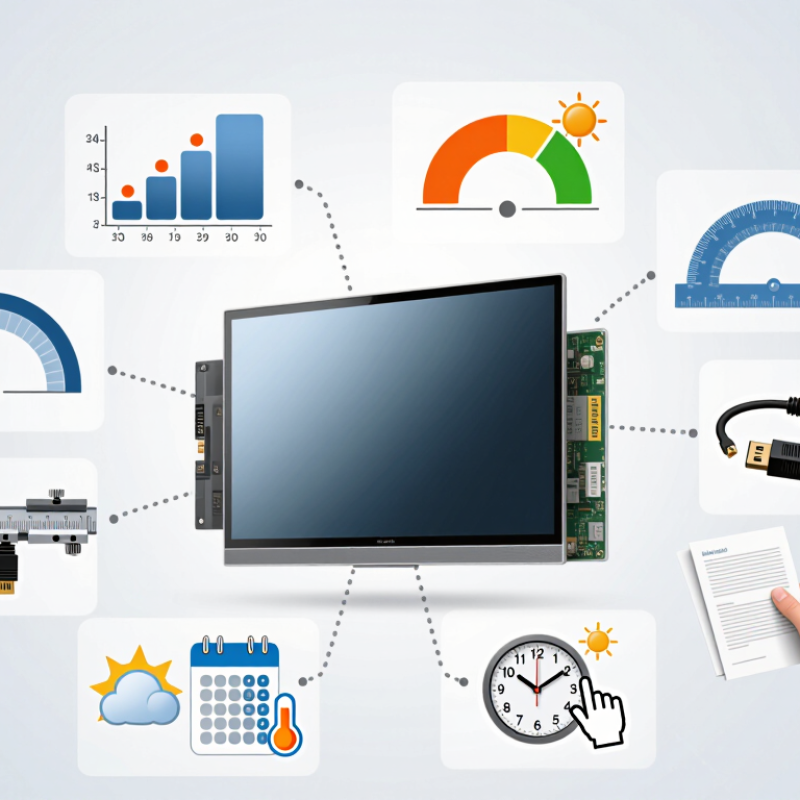
Define Your Application, Display Size, and Operating Conditions
Start with the task. A display used for machine settings has different needs from one showing maps or product images. List what people must read, how far away they stand, and whether they interact by touch. Small details matter. A technician wearing gloves may need larger controls, while a desk-side operator may value fine text. IPS technology can provide broad viewing angles, but it does not guarantee ideal brightness, contrast, or touch performance. Check those specifications against the actual task.
Choose size from the viewing distance and available space, not from a general preference for larger screens. Measure the enclosure opening and allow room for the bezel, cables, and mounting hardware. A 10-inch panel can feel cramped when several data fields appear together. Yet a larger panel may force users to scan farther or require a redesigned enclosure. Mock up the interface at its intended scale. This step is easy to skip, and I have seen paper measurements create false confidence.
Measure the environment. Note direct sunlight, overhead lighting, dust, vibration, and expected operating temperatures. A display near a bright window may need higher brightness and suitable surface treatment; confirm both in the product data sheet. Check the stated temperature range and required connectors, too. If conditions vary, test a sample in the real installation. One short trial may reveal reflections or awkward viewing angles that a specification sheet cannot.
10 IPS Panel Buying Tips for Global Buyers - Define Your Application, Display Size, and Operating Conditions
| No. | Buying Tip | What to Evaluate | Practical Guidance | Questions to Confirm with the Supplier |
|---|---|---|---|---|
| 1 | Define the application | Identify whether the panel is for a desktop monitor, kiosk, medical device, vehicle, industrial control, or another use. | Application determines the required size, brightness, touch method, interfaces, environmental limits, and expected service life. | Where will the display be installed, who will use it, and how many hours per day will it operate? |
| 2 | Choose the display size | Check the diagonal size, active display area, overall module dimensions, and available mounting space. | Panel size is measured diagonally. Confirm the mechanical drawing and bezel or enclosure clearances rather than relying on diagonal size alone. | What are the maximum width, height, depth, and mounting constraints of the enclosure? |
| 3 | Match resolution to content | Compare native resolution, aspect ratio, pixel density, and the resolution supported by the controller or host system. | Use the panel's native resolution where possible. Scaling non-native content can make text and fine details look less sharp. | What resolution and aspect ratio does the application require, and can the host output that signal? |
| 4 | Set brightness for the environment | Assess ambient light, direct sunlight, viewing distance, and whether the display will be behind tinted or protective glass. | Many indoor displays are in the approximate 250–400 cd/m² range. Bright outdoor installations may need substantially higher luminance and measures to control reflections; requirements vary by design. | What ambient-light conditions are expected, and has brightness been specified for the complete display assembly? |
| 5 | Check viewing angle and image quality | Review viewing-angle specifications, contrast, color consistency, response time, and performance from the intended viewing positions. | IPS technology is commonly selected for broad viewing angles, but results vary by panel. Treat advertised angle figures as specification-dependent and evaluate the panel at real viewing positions. | Are viewing-angle and color requirements specified, and can samples be tested from off-axis positions? |
| 6 | Specify operating conditions | Confirm the required operating and storage temperature ranges, humidity exposure, airflow, and heat generated by nearby components. | Temperature limits differ between panel models and may differ from the limits of the finished display. Check the actual module datasheet and allow for enclosure heat buildup. | What are the expected minimum and maximum temperatures, and are these limits valid for continuous operation? |
| 7 | Verify interfaces and electrical compatibility | Match the panel interface, connector, pinout, signal timing, power requirements, and backlight-control method to the system. | Common display interfaces include LVDS, eDP, and MIPI DSI. A matching connector alone does not guarantee electrical or timing compatibility. | Can the supplier provide the interface specification, pin assignment, timing data, and power sequence? |
| 8 | Decide whether touch is required | Consider touch technology, cover-glass thickness, glove use, moisture, multi-touch needs, and the required touch interface. | Projected capacitive and resistive touch serve different use cases. Test the complete stack, including cover glass and any protective coating, under expected conditions. | Will users wear gloves, and must touch work with water, protective glass, or other coverings? |
| 9 | Account for reflections and installation | Evaluate surface finish, optical bonding, air gaps, viewing direction, mounting orientation, and protection from dust or moisture. | Anti-glare treatments and optical bonding can improve readability in some environments, but can affect appearance, cost, and repairability. Validate the complete assembly. | Will the panel face direct light, sit behind a window, or require a sealed front surface? |
| 10 | Plan validation and supply continuity | Review sample testing, quality documents, change notification, expected production life, and the availability of compatible alternatives. | Test samples in the final enclosure and at the intended temperature, brightness, and duty cycle. Confirm revision control and replacement planning before production. | What testing records, lifecycle information, change-control process, and second-source options are available? |