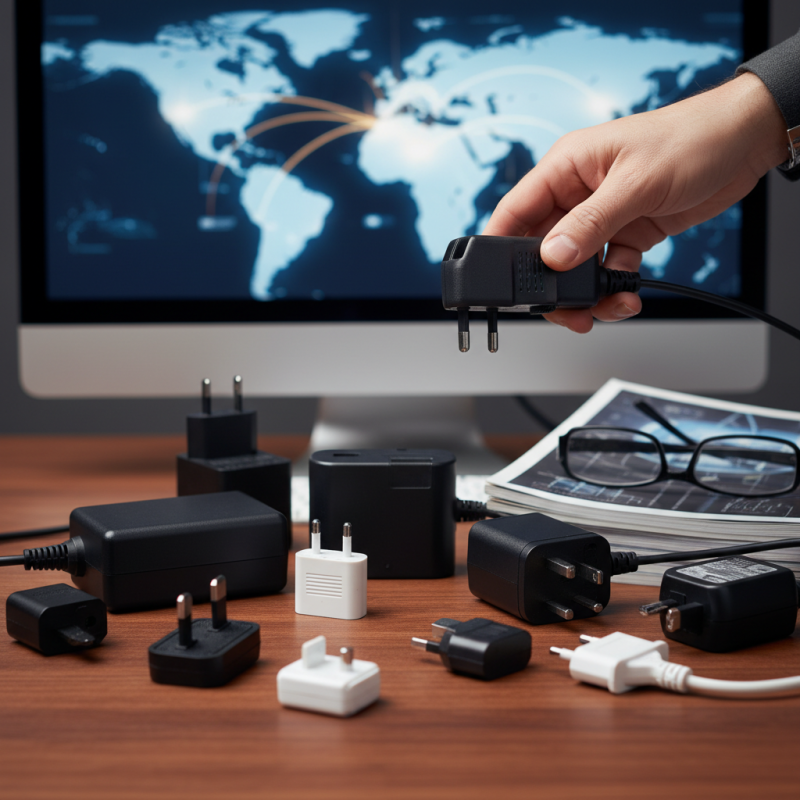
Essential Desktop Power Adapter Tips for Global Buyers?
When purchasing a Desktop Power Adapter, global buyers face unique challenges. “Choosing the right adapter is crucial for ensuring device safety and efficiency,” says Dr. Emily Chen, a leading expert in power electronics. Her insights highlight the importance of understanding regional specifications and compatibility.
Many buyers overlook critical details, such as voltage requirements and plug types. Not all adapters are universal, and mismatches can lead to device damage. Awareness of these nuances can save both time and money.
Additionally, buyers should consider the brand reputation and warranty options. A well-reviewed adapter often reflects reliability and performance. Dr. Chen emphasizes, “Investing in quality power adapters can prevent headaches later.” Being informed in your choice makes a significant difference. Reflecting on these tips will enhance your global buying experience.
Key Features to Consider in Desktop Power Adapters
When selecting a desktop power adapter, consider several key features. It's vital to check the wattage. This determines how efficiently your devices will charge. A higher wattage can lead to faster charging, which is essential for heavy usage. However, an overly powerful adapter can be wasteful and inefficient.
Another factor is compatibility with various devices. Some adapters support multiple voltage inputs, which is particularly useful for global travel. This flexibility ensures that you can use your devices in different countries without worrying about voltage differences. However, always confirm the adapter can safely deliver the required voltage for your devices.
Tips for buyers include ensuring the power adapter has a good safety certification. This might indicate reliable quality and protection features such as surge protection. Additionally, look for adapters with heat dissipation features. This can prevent overheating during extended use. Reflect on your needs. A basic adapter might suffice, but if you're a heavy user, investing in a more advanced model could be beneficial. Balancing cost and functionality requires careful consideration.
Understanding Voltage and Amperage for Global Compatibility
When considering desktop power adapters, understanding voltage and amperage is crucial for global compatibility. Different regions operate on varying voltage levels; for example, North America typically uses 120V, while most of Europe operates on 230V. This discrepancy can result in damage or inefficiency if a power adapter is not designed for the local standard. According to a study by the International Electrotechnical Commission (IEC), approximately 40% of electrical device failures result from improper voltage use.
Amperage also plays a vital role. The current drawn by a device should match its specifications to prevent overheating or underperformance. Many experts suggest that using devices at their rated voltage and amperage can enhance their lifespan. Key figures indicate that appliances run more efficiently when powered correctly, improving energy conservation. The correlation between appropriate amperage and device safety cannot be overlooked, as one report from the IEEE highlights a notable reduction in incidents of electrical fires when devices operate within their specified ranges.
Amateur users often overlook these details. A simple plug adapter may seem sufficient, but it does not account for voltage differences. Without proper solutions, users risk not just their devices, but also their safety. Being informed can prevent costly mistakes. Always check both voltage and amperage before making a purchase. This attention to detail can empower users to make informed decisions for their electronic needs across the globe.
Types of Power Adapters: Universal vs. Region-Specific
When purchasing a power adapter for global use, understanding the difference between universal and region-specific types is crucial. Universal adapters are designed to handle various voltage requirements and plug shapes. They offer flexibility, making them ideal for travelers. However, the performance may vary depending on the quality of the adapter. Some universal options are bulky, which can be inconvenient for mobile use.
Region-specific adapters cater to particular countries or areas. They provide a secure fit for local outlets and often comply with certification standards. While these adapters can be more reliable in terms of voltage stability, they limit usability when traveling outside their designated regions. If you frequently move between different countries, relying solely on region-specific adapters may lead to inconvenience. The right choice ultimately depends on your travel habits and device requirements.
When considering what to buy, think about how often you travel and where. Will a universal adapter suffice? Or do you need specialized options for safety and reliability? Sometimes, what seems convenient can lead to issues. Striking a balance between accessibility and performance is ideal. Effective power management should not be an afterthought, especially for your essential devices. Explore your needs thoroughly before making a decision.
Safety Ratings and Certifications for Reliable Power Supply
When purchasing a desktop power adapter, safety ratings and certifications should be at the forefront of your considerations. According to a report by the International Electrotechnical Commission (IEC), over 10% of electrical accidents stem from faulty power supplies. Therefore, ensuring that your adapter meets international safety standards is crucial. Look for certifications such as CE, UL, and FCC. These ensure adherence to safety and electromagnetic compatibility.
Even with certifications, not all power adapters deliver reliable performance. A study from the National Institute of Standards and Technology (NIST) indicates that up to 25% of adapters fail to provide consistent power output. This inconsistency can lead to device malfunction or damage. It’s vital to check if an adapter's voltage and current specifications match your device requirements. Moreover, consider the environment in which you’ll be using the adapter. High temperatures or varying voltages can compromise safety and reliability.
Additionally, some certifications might be outdated or lacking. Regular updates in safety standards mean newer products might outshine older models, despite similar ratings. Ensure your chosen power adapter is from a reputable source and is compliant with the latest safety regulations. Evaluating all these factors provides a pathway to a more secure and efficient power supply.
Best Practices for Maintaining Your Desktop Power Adapter
Maintaining your desktop power adapter is crucial for its longevity and efficiency. A clean adapter is more effective. Dust and debris can accumulate over time. Regularly inspect the power cord and adapter for wear or fraying. If you notice any damage, consider replacing it to avoid safety hazards.
Proper usage also plays a role in the lifespan of your adapter. Avoid using it in high-temperature areas, as excessive heat can cause overheating. Ensure the adapter is plugged into a stable outlet to prevent voltage fluctuations. Interestingly, many people overlook these details. Ignoring them could lead to issues down the line.
Storing your adapter correctly is vital. When not in use, wrap the cord loosely and avoid tight knots. This prevents internal damage to the wires. Storing it in a dry place protects it from moisture. Adapting to a few best practices can significantly affect your adapter's performance.