How to Choose Wi-Fi HaLow Devices in 2026?

In 2026, choosing Wi-Fi HaLow devices means matching the radio to the job, not just comparing advertised range. A door sensor may send a few bytes, while a remote meter may need steady updates and reliable reconnection. That difference matters. Wi-Fi HaLow uses the IEEE 802.11ah standard and sub-gigahertz radio bands, which can support longer-range, lower-power links than conventional 2.4 GHz Wi-Fi in suitable conditions. Real results still depend on walls, antennas, interference, and local frequency options. More range is not automatic.

A sound choice starts with the deployment. Check the supported frequency band, antenna design, data needs, battery expectations, and compatibility with your access point or gateway. Look beyond the headline range. Ask how the device behaves behind a concrete wall, during a weak signal, or after a power interruption. Security matters, too: review update support, authentication, and the manufacturer’s maintenance information before installation. Small details count. This guide explains how to compare sensors, gateways, and other Wi-Fi HaLow equipment using practical criteria rather than marketing claims. It also considers setup, scalability, and the trade-offs between coverage, battery life, and throughput. No single device fits every site. A careful pilot can reveal gaps that a specification sheet misses, and that is worth admitting early.
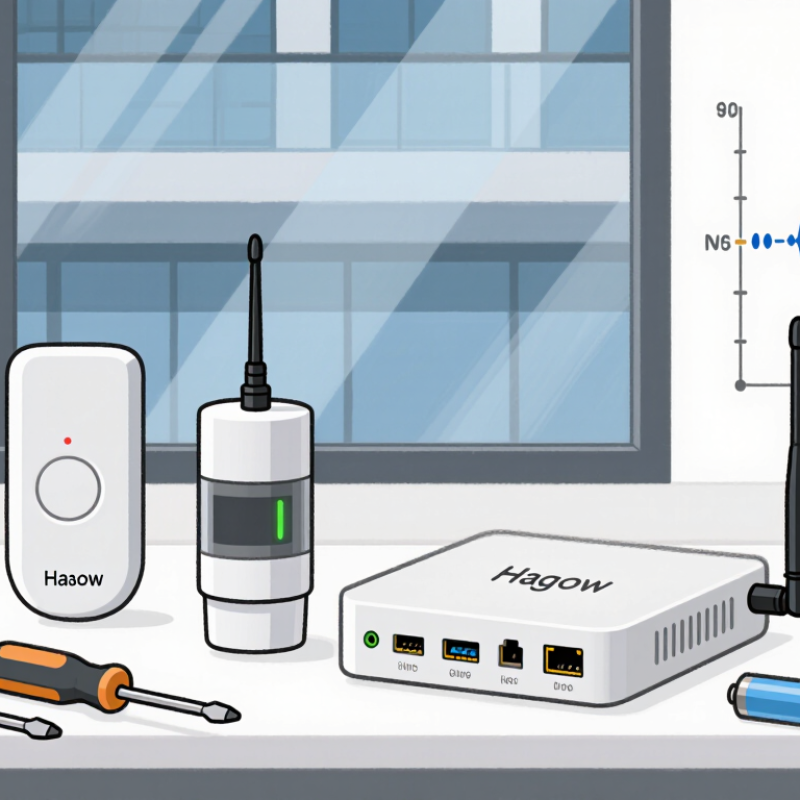
How to Choose Wi-Fi HaLow Devices in 2026?

Map IoT Needs to IEEE 802.11ah’s Sub-1 GHz Band

Map IoT Needs to IEEE 802.11ah’s Sub-1 GHz Band

Choosing Wi-Fi HaLow starts with the site, not the device label. IEEE 802.11ah uses spectrum below 1 GHz, which can support longer links than 2.4 GHz in suitable conditions. Walls, metal shelves, and antenna placement still matter. That matters.

A remote water meter sending small readings every few minutes has different needs from a camera moving steady video. For meters and sensors, check sleep current, wake-up time, message size, and expected battery life. For larger payloads, compare throughput and airtime. Ask for measured results in a similar building, not just an ideal range figure. Range claims need testing.

IoT Analytics’ 2024 State of IoT report estimated 16.6 billion connected IoT devices in 2023 and forecast 18.8 billion for 2024. That growth signals a crowded field of use cases, not a guarantee that HaLow fits every deployment. Check regional spectrum availability, access-point capacity, security support, and interoperability before choosing. A weak spot in many plans is power budgeting: real sensors wake more often than assumed, especially during network outages. A short pilot with devices placed at actual endpoints can reveal dead zones and battery drain before a full rollout.

Check Regional Spectrum Rules Before Selecting HaLow Hardware

How to Choose Wi-Fi HaLow Devices in 2026?

Check Regional Spectrum Rules Before Selecting HaLow Hardware

Before comparing range or battery life, check which sub-GHz frequencies are permitted where each device will operate. Wi-Fi HaLow uses regional spectrum allocations, and available channels can differ between countries. Rules may also limit transmit power, antenna gain, channel width, or airtime. Small details matter. A device configured for one region may not be suitable for another.

Check the device’s documented regulatory domain and confirm that its supported channels match local requirements. Ask the supplier for the applicable compliance records, and verify whether the installation will be indoors or outdoors. Those conditions can affect what is permitted. A printed specification sheet may look clear, yet still leave out an important regional setting. That is worth questioning.

Think about the whole radio link, not just the access point. The antenna, cable, and installation height can affect the system’s effective radiated power. Confirm that the device can be configured for the correct region, then test coverage at the actual site. Concrete walls, metal shelving, and nearby equipment may change results. I would not choose hardware based on a range estimate alone; it is an easy shortcut, and sometimes a costly one.

Compare Link Budgets with Wi-Fi Alliance’s 1 km+ Range Claim

Choose Wi-Fi HaLow devices by comparing complete link budgets, not advertised distance alone. The Wi-Fi Alliance describes HaLow as capable of reaching more than 1 km, but that figure is not a guaranteed distance for every installation. At 900 MHz, ideal free-space path loss over 1 km is about 91.5 dB; walls, foliage, antenna placement, and interference add real-world losses. Compare transmitter power and antenna gain against receiver sensitivity, cable losses, and a practical fade margin. ITU-R Recommendation P.1238-12 models indoor propagation using factors such as frequency, distance, and floor penetration, highlighting why one range figure cannot predict every site.

Tips: Request sensitivity figures at the data rate you will use, then test with the intended antennas. Walk the route with the device near its final mounting height; a metal cabinet or wet leaves can change results. Keep a margin. Wi-Fi Alliance’s range claim is useful context, not a substitute for measured coverage. Sources: Wi-Fi Alliance, Wi-Fi CERTIFIED HaLow overview; ITU-R P.1238-12, indoor propagation prediction methods.

How to Choose Wi-Fi HaLow Devices in 2026? — Compare Link Budgets with Wi-Fi Alliance’s 1 km+ Range Claim
Comparison Area Metric or Scenario Data / Example How to Use It When Choosing a Device
Range claim Wi-Fi HaLow range Wi-Fi Alliance materials describe Wi-Fi HaLow as capable of reaching more than 1 km in suitable conditions. Treat 1 km+ as a capability claim, not a guaranteed indoor, outdoor, or device-to-device coverage distance. Verify the actual installation with a site survey.
Frequency Operating band Wi-Fi HaLow (IEEE 802.11ah) operates in sub-1 GHz spectrum. The specific permitted frequencies depend on the country or region. Check the device’s supported regional band and local radio regulations before purchase. Devices for different regions may not be interchangeable.
Propagation comparison Free-space path loss at 1 km At 915 MHz: approximately 91.7 dB. At 2.4 GHz: approximately 100.0 dB. Under free-space assumptions, the 915 MHz signal has about 8.4 dB less path loss at the same distance. This comparison does not account for walls, foliage, interference, or antenna placement.
Illustrative link budget Assumed radio and antenna inputs Transmit power: 20 dBm; transmitting antenna gain: 2 dBi; receiving antenna gain: 2 dBi; combined cable and connector loss: 1 dB; receiver sensitivity: −95 dBm. These are example inputs for calculation only, not specifications for a typical or particular product. Use the selected device’s datasheet values, measured at the intended channel width and data rate.
Illustrative link budget Maximum path loss with fade margin With a 15 dB fade margin: 20 + 2 + 2 − 1 − (−95) − 15 = 103 dB allowable path loss. The fade margin provides room for changes in signal level. Increase it when the link must tolerate variable weather, moving obstacles, or changing installation conditions.
Illustrative link budget 915 MHz, 1 km free-space check Allowable path loss: 103 dB. Estimated free-space path loss: 91.7 dB. Remaining margin: approximately 11.3 dB. This simplified example clears the assumed 15 dB design-margin calculation at 1 km only under the stated inputs and free-space model. Real terrain and obstacles can consume the remaining margin.
Receiver sensitivity What to compare on datasheets Sensitivity varies with channel width, modulation and coding rate, and device implementation. A single sensitivity number is not meaningful without its associated PHY mode. Compare sensitivity at the same channel width and data rate. Lower (more negative) dBm values indicate the receiver can detect weaker signals under the stated test conditions.
Channel width Bandwidth versus range and throughput IEEE 802.11ah supports channel widths including 1, 2, 4, 8, and 16 MHz; regional rules and product support determine which are usable. Narrower channels can help a link budget in some configurations but generally limit peak throughput. Confirm supported widths, regional availability, and required application data rate.
Antenna and installation Practical link factors Antenna orientation, height, enclosure materials, cable loss, obstructions, and interference can materially change received signal level. Check antenna options and connector details. Test with the final enclosure and mounting position rather than relying only on a module’s laboratory figures.
Selection checklist Minimum comparison set Regional band; transmit power and regulatory limits; antenna gain; receiver sensitivity by PHY mode; supported channel widths; power consumption; and security support. Choose the device that meets the application’s throughput and power needs while retaining a measured link margin at the farthest required point.
Calculation note Free-space path-loss formula FSPL (dB) = 32.44 + 20 log10(frequency in MHz) + 20 log10(distance in km). Free-space path loss is a comparison baseline, not a field-coverage prediction. Link-budget examples are illustrative and should be validated through deployment testing.

Size Network Capacity for HaLow’s Thousands of Devices per Access Point

Wi-Fi HaLow’s large station limit can make a crowded deployment look simple on paper. The IEEE 802.11ah addressing scheme can identify up to 8,191 stations per access point, but that is a protocol ceiling, not a reliable planning target. In a warehouse, a sensor sending a short reading every few minutes behaves differently from a camera or a meter reporting frequently. Real rooms disagree.

IoT Analytics estimated 18.8 billion connected IoT devices worldwide at the end of 2024 in its State of IoT report. That growth makes capacity planning more than a device-count exercise. Ask how often each device transmits, how large its messages are, and how quickly the application needs a response. Include retries, interference, and bursts after a power outage. A building with 2,000 sleepy sensors may be easier to serve than one with 500 chatty devices. Test with representative traffic, not only a device specification sheet. Check performance at the farthest rooms and behind metal shelving. I would leave headroom, though the right margin depends on the traffic pattern. A clean lab result can still mislead.

Balance Throughput and Power Across IEEE 802.11ah’s 1–16 MHz Channels

How to choose Wi-Fi HaLow devices in 2026 depends on the traffic each sensor actually sends. IEEE 802.11ah-2016 defines channel widths from 1 to 16 MHz. Its peak PHY rate reaches 347 Mbps at 16 MHz with four spatial streams, but real devices may support fewer streams and lower rates. Wider channels can move larger files faster; they also use more spectrum. A 1 MHz channel has roughly 12 dB less thermal noise than a 16 MHz channel, all else equal. That can help weak signals, though it does not guarantee longer battery life.

For a door sensor sending a few bytes, a 1 or 2 MHz channel may be enough. A camera or firmware update may need wider bandwidth. Narrower channels can also mean longer airtime, so measure retries and radio-on time, not just peak throughput. Wi-Fi Alliance’s Wi-Fi HaLow technical overview describes the technology’s long-range, low-power design; IEEE 802.11ah also supports scheduled wake periods that can limit idle listening. Test devices in the actual building, with walls, interference, and the expected reporting interval. That trade-off is easy to underestimate. Battery results often disappoint when retransmissions are ignored.

Choosing Wi-Fi HaLow Channel Widths in 2026

Illustrative single-stream PHY-rate estimates across IEEE 802.11ah’s supported 1–16 MHz channel widths

Wider channels can provide higher PHY rates, while narrower channels are often a better fit for low-throughput, energy-conscious devices. The rate values shown are illustrative estimates, not guaranteed device performance; actual rates depend on MCS, signal conditions, guard interval, and implementation. IEEE 802.11ah does not prescribe a universal power draw for each channel width, so compare measured energy use for the intended device and workload.

Go to Top