How to Choose a Digital Signage LED Wall?

Choosing a digital signage LED wall is not simply a matter of selecting the brightest display. It requires a careful match between screen technology, viewing distance, content goals, room conditions, and maintenance plans. A wall that looks impressive in a showroom may appear harsh in a hotel lobby or unclear inside a sunlit retail entrance. The room matters. So does the audience.

This guide examines the practical decisions behind a reliable LED installation. It considers pixel pitch, brightness, refresh rate, color performance, cabinet design, viewing distance, control systems, and energy use. It also explains how installation access and front or rear maintenance can affect long-term operating costs. These details often receive less attention than screen size, yet they shape daily performance. Brightness is not everything.

Professional evaluation should include real measurements, not only supplier claims. Ask for product specifications, warranty terms, service response times, and examples of comparable installations. A demonstration with your actual content is more useful than a generic video. Text-heavy menus, moving graphics, skin tones, and dark scenes can reveal weaknesses quickly. No checklist is perfect. Even experienced buyers may underestimate glare, heat, cable access, or future content changes. That is why a responsible decision combines technical evidence with on-site observation. The right digital signage LED wall should remain readable, serviceable, and visually comfortable long after installation day.
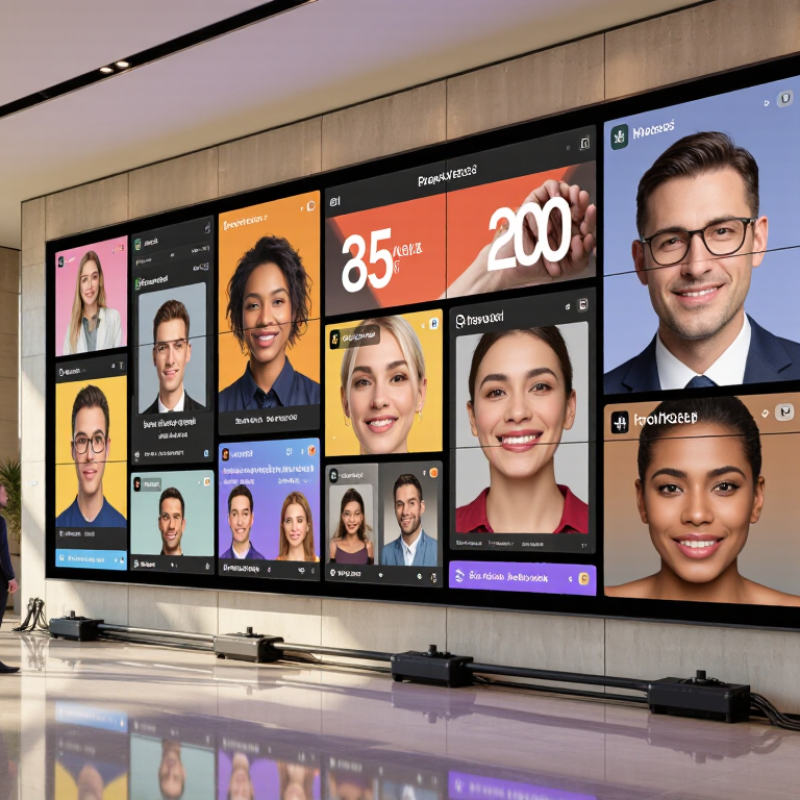
How to Choose a Digital Signage LED Wall?

Define the Use Case and Screen Size for Indoor or Outdoor Viewing

How to Choose a Digital Signage LED Wall?

Define the use case before choosing screen size. A retail window needs strong daylight visibility and close-range readability. A conference hall needs fine detail for charts, faces, and presentations. Outdoor walls require weather protection, higher brightness, and wider viewing angles. Grand View Research valued the global digital signage market at about USD 27.1 billion in 2023. This growth increases choice, but it also makes poor planning easier.

Measure the farthest and closest viewing positions. For indoor viewing, a 1.5–2.5 mm pixel pitch often suits short distances. Outdoor screens commonly use 4–10 mm, depending on road speed and audience distance. Bright indoor installations may need 800–1,500 nits. Direct sunlight can demand 5,000 nits or more. The U.S. Department of Energy notes that outdoor daylight can exceed 100,000 lux, exposing weak brightness decisions quickly. AVIXA’s 2024 Industry Outlook also highlights digital signage as a continuing professional AV investment area. Yet a spreadsheet cannot predict glare perfectly.

Tips: Visit the site at different times. Stand where viewers will stand. Play real content, not test colors. Check heat, rain, service access, and power capacity. Leave space for maintenance. A perfect specification can still feel wrong. Field conditions often reveal that the chosen screen is too bright, too small, or unnecessarily sharp. Review the design after a physical mock-up, even when the calculations look convincing.

Match Pixel Pitch to Viewing Distance: 1 mm per Meter as a Starting Point

Choosing a digital signage LED wall starts with viewing distance, not screen size. Pixel pitch measures the space between LED pixels. A smaller pitch creates sharper close-up images, but it usually increases cost and processing demands.

A practical starting point is 1 mm of pixel pitch for every meter of viewing distance. At 3 meters, a 3 mm pitch may work well for retail aisles, reception areas, or transport halls. At 1.5 meters, 1.5 mm can preserve text detail more effectively. This is a rule of thumb, not a law. The International Telecommunication Union’s recommendations on visual resolution show that viewing angle and human acuity also affect perceived sharpness. Content size, contrast, and brightness matter too.

Measure the nearest and farthest audience positions. Then test actual content.

Grand View Research valued the global digital signage market at approximately USD 31 billion in 2023, with continued growth forecast through 2030. That expansion reflects wider adoption, but market growth does not make every installation identical. A large lobby may tolerate a wider pitch because viewers stand farther away. A control room may need finer detail, despite its smaller wall.

Be careful with the “smaller is always better” assumption. It can waste budget and increase power consumption. A 2.5 mm wall viewed from four meters may look convincing, while a 1.2 mm wall viewed from ten meters offers little visible advantage. I would also test subtitles, charts, and skin tones before approving the final specification. Supplier charts help, but real viewing conditions can disagree.

Set Brightness Targets: 800–1,500 nits Indoors; 5,000–10,000 Outdoors

Choosing an LED wall begins with its light environment, not its pixel pitch. For indoor installations, target 800–1,500 nits. Office areas often measure 300–500 lux, according to the Illuminating Engineering Society’s Lighting Handbook. Retail atriums can be brighter, especially near glass entrances. Start near 800 nits, then test real content.

Outdoor walls face direct sun, reflections, dust, and changing weather. A practical target is 5,000–10,000 nits. CIE 150:2017 highlights glare control and visual comfort in outdoor lighting. Meanwhile, daylight can exceed 100,000 lux under clear skies. A lower-output display may look acceptable at dusk, then disappear at noon. It happens quickly.

More brightness is not automatically better. High output increases power use, heat, and maintenance pressure. Measure the screen at its intended viewing angle, not only from the center. Use an ambient-light sensor and schedule night-time dimming. I would also test pale content, dark video, and fast transitions. Brightness targets are useful, but imperfect. Site glass, nearby lamps, and local weather can change the result. Calibrate after installation, then review performance during different seasons.

Verify Image Quality: ≥3,840 Hz Refresh Rate and ≥14-Bit Grayscale

When choosing a digital signage LED wall, verify image quality beyond brightness and pixel pitch. A refresh rate of at least 3,840 Hz helps cameras capture cleaner images during interviews, livestreams, and event recordings. It reduces visible scan lines and dark bands caused by camera shutters.

The number matters.

However, refresh rate is not the same as frame rate. A 3,840 Hz wall may still display ordinary 50 or 60 fps content. Ask suppliers for high-speed camera tests, not only specification sheets. The International Display Measurement Standard, IDMS 1.1, recommends measuring luminance and uniformity under defined conditions. This makes comparisons more reliable.

At least 14-bit grayscale provides 16,384 tonal steps per color channel. It supports smoother shadows, skin tones, and dark gradients. This is especially useful in museums, retail spaces, and studios with controlled lighting. SMPTE ST 2084 defines HDR electro-optical behavior using high-precision signal values, but a panel’s processing depth does not guarantee accurate HDR reproduction. Calibration still matters.

Inspect a gray gradient at low brightness. Look for banding, crushed shadows, and uneven modules. A 2023 SID International Symposium Digest paper on LED display driving methods also highlights the importance of current control and compensation accuracy. Specifications can sound impressive. Real viewing tests may disagree.

Specify Protection and Costs: IP65 Cabinets and 300–800 W/m² Power Use

An outdoor LED wall should be judged by its cabinet protection, not only its image quality. IP65 cabinets are sealed against dust and low-pressure water jets. They are not designed for flooding, immersion, or aggressive pressure washing. Check the complete cabinet, including doors, connectors, ventilation points, and cable glands. A strong rating can become meaningless when installation gaps are poorly sealed.

Power demand usually ranges from 300 to 800 W/m². The lower figure often reflects typical operation, while the higher figure may represent peak brightness and full-white content. Ask for both average and maximum consumption. For a 10 m² wall, 800 W/m² equals 8,000 watts before safety headroom. That affects circuit design, cabling, cooling, and operating costs. Bright daylight scenes consume more energy. Dark content normally uses less.

Leave room for mistakes. Real sites include heat, dust, voltage variation, and unexpected content changes. I would request measured data from a comparable cabinet, not a generic estimate. Confirm the test conditions and brightness level. A wall may meet IP65 in a laboratory, yet perform differently after repeated access and weather exposure. Add temperature monitoring and scheduled seal inspections. It may seem excessive, but one damaged gasket can create expensive service work. Ensure the electrical system and installation follow local requirements and are reviewed by qualified professionals.

How to Choose a Digital Signage LED Wall?

Outdoor installations generally require IP65 protection against dust and water jets. Power demand varies with pixel pitch, brightness, content, and thermal design; the values shown are realistic planning ranges rather than fixed specifications.

Estimated electricity cost assumes 12 hours of operation per day and an electricity rate of $0.15/kWh. At 300, 500, and 800 W/m², the estimated annual cost is approximately $197, $329, and $526 per square meter respectively.

Go to Top