7 Tips for Choosing an Outdoor DIP LED Display

Outdoor LED displays face a tougher job than indoor screens. Sunlight washes out weak images, while rain, dust, heat, and cold challenge every component. A DIP LED display outdoor installation may suit demanding sites, but the label alone proves little. Brightness, viewing distance, pixel pitch, cabinet sealing, and service access all affect performance. Small details matter.

The scale of the market makes careful selection worthwhile. Grand View Research estimated the global digital signage market at USD 28.83 billion in 2023 and forecast an 8.1% compound annual growth rate from 2024 to 2030. That figure covers digital signage broadly, not outdoor DIP products alone, so it should not be treated as a product-sales forecast. Still, it signals a growing market where specifications deserve close scrutiny. For environmental protection, IEC 60529 defines IP ratings; ask suppliers for test documentation matching the proposed cabinet and installation conditions. Check the evidence.

These seven tips focus on practical choices: screen visibility in direct sun, suitable pixel pitch, weather protection, thermal design, power use, maintenance access, and supplier support. Compare measured specifications, not just brochures. A high brightness number can sound reassuring, yet it may say little about readability at your actual viewing distance. I would also leave room for site-specific judgment; one checklist cannot replace a proper assessment of local conditions.
7 Tips for Choosing an Outdoor DIP LED Display

Define Display Goals and Installation Requirements

Define the display’s job before comparing pixel pitch or cabinet size. Is it guiding drivers, promoting daily offers, or sharing public information? Each goal changes content length, viewing distance, and screen placement. A roadside message must read quickly; a screen beside a pedestrian entrance can carry more detail. The Outdoor Advertising Association of America reported that U.S. out-of-home advertising revenue reached $9.1 billion in 2023, with digital formats contributing about 33 percent. That growth makes clear goals more important, not less.

Walk the site at the actual viewing points. Note the farthest distance, direct-sun hours, nearby trees, and nighttime light spill. Then check power, data routes, drainage, service access, and the structure’s wind loading with qualified installers. IEC 60529 defines enclosure protection ratings; an IP65 rating indicates dust-tight protection and resistance to water jets, but it does not replace checks for heat, corrosion, or site-specific exposure. Measure twice. I still find it easy to underestimate how much a building edge can shade a screen.

Write down the operating conditions before requesting quotes: viewing distance, daily runtime, ambient light, content schedule, and acceptable maintenance downtime. OAAA’s 2023 revenue report offers useful market context, but it cannot determine the right brightness or installation for your site. Those choices need on-site measurements. If the screen faces changing sunlight, specify how brightness will be managed and tested after installation. A neat drawing helps; a real afternoon site visit helps more.

Match Pixel Pitch to Viewing Distance and Content

Start with the eyes. Not the brochure. Estimate the closest and farthest viewing positions, then match pixel pitch to the smallest detail people must read. AVIXA’s Display Image Size for 2D Content standard treats viewing distance and image task as linked factors, rather than prescribing one ideal screen size for every setting. That distinction matters outdoors: drivers need bold symbols, while pedestrians may need readable schedules or menus.

Use a simple resolution check. A 4.8-metre-wide display with a 6-mm pitch has about 800 horizontal pixels. That can work for large text and clear icons, but dense copy may look cramped from nearby. For comparison, ITU-R Recommendation BT.2020 defines UHD formats at 3,840 × 2,160 and 7,680 × 4,320 pixels; those figures show how much detail high-resolution content can contain, not what every outdoor screen needs. Test real content at the actual site distance. Thin type and pale colors often disappoint in direct sun. Still, pixel pitch is only a starting point. Ambient light, viewing angle, and content contrast can change what looks legible, and a field mock-up may reveal flaws a drawing misses.

Evaluate Brightness and Readability in Outdoor Conditions

Outdoor sunlight can make a bright display look surprisingly dull. Evaluate an outdoor DIP LED display where it will actually operate, not only in a showroom. Check it at different times of day, especially when direct sun hits the screen. A handheld light meter can help compare conditions, but the image itself matters too. Look for readable text, clear edges, and colors that remain distinct. More brightness is not always better; excessive output can cause glare and eye strain at night. It is easy to misjudge this from a specification sheet.

Tip 1: Test a sample message outdoors. Use dark text on a light background, then reverse it. Check both from the expected viewing distance and angle.

Tip 2: Ask whether brightness can be adjusted for changing daylight. If practical, observe the display at noon and after sunset.

Keep the test realistic. Use the font size, colors, and content planned for the finished installation. Small lettering may disappear even when the screen looks vivid up close. Also check whether nearby glass, pale walls, or road surfaces create distracting reflections. Stand where viewers will stand, and give your eyes a moment to adjust. That step is easy to skip. Record what remains legible, rather than relying on a quick impression. If readability varies sharply with viewing angle, revisit the mounting position as well as the display settings.

Check Weatherproofing, Durability, and Thermal Management

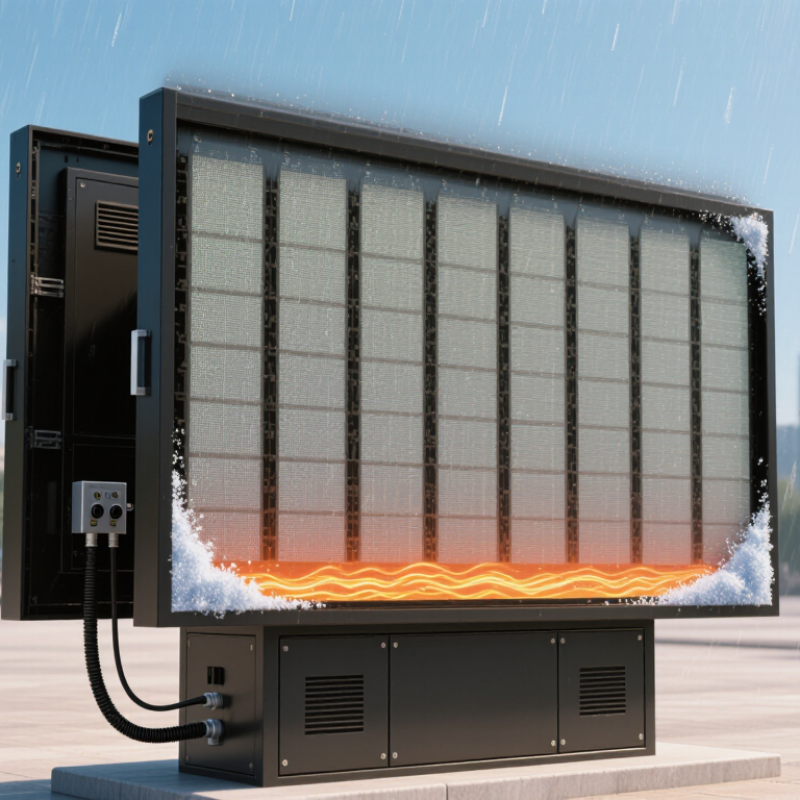
When choosing an outdoor DIP LED display, check the enclosure rating and the parts that complete its seal. IEC 60529 defines IP65 as dust-tight and protected against water jets; it does not mean the cabinet can be submerged. Look closely at door gaskets, cable entries, and ventilation openings. A tiny gap near a connector can let rain reach the electronics. Ask how the display is tested after assembly, not only how its components are rated. IP ratings are useful, but installation details matter.

Durability also depends on temperature control. Direct sun can heat a dark cabinet, while poor airflow traps warmth around power supplies and LED modules. Heat needs an exit. Check for unobstructed vents, suitable fans or heat sinks, and temperature monitoring. The Illuminating Engineering Society’s LM-80 method measures LED package lumen maintenance for at least 6,000 hours; TM-21 uses those measurements to project longer-term performance. These figures describe LED packages, not the lifespan of an entire display. That distinction is easy to miss. Request operating-temperature limits and test records, then compare them with the hottest conditions at your installation site. Dust buildup and blocked vents can still undermine a well-designed cabinet.

7 Tips for Choosing an Outdoor DIP LED Display - Check Weatherproofing, Durability, and Thermal Management

Tip What to Check Practical Guidance How to Verify
1. Confirm ingress protection IP rating for the assembled display, including cabinet doors, connectors, and cable entries. For exposed outdoor installations, ask whether the front and rear have separate ratings. IP65 indicates dust-tight protection and protection against water jets under defined test conditions; it does not mean the display is waterproof in every situation. Request the rating and supporting test documentation for the complete enclosure, not just an individual module.
2. Match brightness to daylight Specified brightness in nits (cd/m²), viewing angle, and performance in direct sunlight. Outdoor displays commonly use brightness levels around 5,000–8,000 nits, but the right level depends on orientation, shading, content, and ambient light. Automatic brightness control can reduce nighttime glare and power use. Check measured brightness, control settings, and visibility at the actual viewing distance and installation angle.
3. Review operating-temperature limits Published operating and storage temperatures for the display, power supplies, and control electronics. Choose limits that cover the site’s expected extremes, including solar heating inside the cabinet. The rated ambient range is model-specific, so do not assume that all outdoor displays share the same limits. Compare the product’s documented limits with local weather records and the planned cabinet design.
4. Check thermal management Heat removal, airflow path, ventilation or cooling method, and access for maintenance. High brightness and direct sun add heat. Confirm that the design manages internal temperature without compromising its weather protection, and ask whether output is reduced automatically when temperatures rise. Request thermal test results or operating-temperature data under a stated ambient temperature and brightness setting.
5. Assess cabinet and mounting durability Cabinet material, corrosion protection, fastening method, and wind-load design. Consider coastal salt, industrial pollution, heavy rain, and site-specific wind exposure. The supporting structure and anchors must be designed for the installation, not just the display cabinet. Review material and coating specifications, structural calculations, and installation requirements for the project location.
6. Evaluate the LED package and serviceability DIP LED construction, module replacement process, spare-part availability, and repair access. DIP LEDs use separate red, green, and blue LED packages. Check that modules can be replaced safely and that replacement parts are specified to match the installed display. Ask for the maintenance procedure, required tools, recommended spare parts, and warranty terms.
7. Confirm power, control, and protection Power consumption, electrical protection, grounding, surge protection, and brightness-control compatibility. Compare maximum and typical power figures, and ensure the site’s electrical supply and protective devices are suitable. Outdoor wiring and grounding should follow applicable local electrical codes. Request electrical specifications and have a qualified installer check the proposed circuit, grounding, and surge-protection plan.

Specifications and suitable ratings vary by model and installation. Confirm performance using product documentation and site-specific environmental and structural requirements.

Compare Control Systems, Maintenance, and Supplier Support

7 Tips for Choosing an Outdoor DIP LED Display
Compare Control Systems, Maintenance, and Supplier Support

Tip 1: Compare control systems by how easily staff can schedule content, adjust brightness, and check faults. Ask to see the actual software, not just a feature list. Tip 2: Confirm how the display connects to your existing network and what happens if the connection drops. Keep it simple. Tip 3: Check that diagnostic alerts identify specific modules or power issues, rather than showing a vague warning.

Tip 4: Ask how routine maintenance works. Can technicians reach the rear of the cabinet safely? Are modules replaceable without dismantling a large section? Tip 5: Request a maintenance schedule covering cleaning, seals, connectors, and ventilation. Dust and moisture can cause trouble gradually. A schedule helps, though it will not prevent every fault.

Tip 6: Clarify supplier support before ordering. Ask about response hours, remote troubleshooting, on-site service, and the availability of replacement modules. Tip 7: Get training and documentation in writing, including wiring diagrams and fault-recovery steps. A helpful supplier should explain limitations as clearly as benefits. It can be tempting to choose the system with the longest feature list, but day-to-day support may matter more when a screen goes dark before an event.

7 Tips for Choosing an Outdoor DIP LED Display

Compare control systems, maintenance, and supplier support

The scores are illustrative planning priorities on a 1–5 scale, not measured product ratings. Confirm brightness, ingress protection, control compatibility, maintenance access, spare-parts availability, and support terms for each specific display.

Go to Top