
7 Best Industrial Panel PCs for Global Buyers?
Industrial Panel Pc technology has become a practical foundation for modern factories, warehouses, and process-control environments. Operators now expect bright displays, sealed enclosures, reliable touch input, and stable performance near dust, vibration, and temperature changes. According to Fortune Business Insights, the global industrial computer market is expanding as manufacturers invest in automation, connected equipment, and real-time monitoring. MarketsandMarkets also identifies industrial IoT and edge computing as major drivers of demand for rugged computing platforms.
This guide examines seven industrial panel PCs for global buyers. The comparison considers screen size, processor performance, operating-system support, ingress protection, mounting options, connectivity, and long-term serviceability. These details matter on the factory floor. A 15.6-inch display may improve visibility beside a conveyor, while a fanless design can reduce dust-related maintenance. A stainless-steel front may suit food-processing areas, but it does not automatically guarantee complete hygienic compliance.
Real-world installation experience suggests that specifications alone are not enough. Buyers should verify voltage ranges, language support, regional certifications, warranty terms, and replacement-part availability before ordering. Some vendors publish impressive brightness figures, yet provide limited information about sunlight readability or glove operation. That deserves caution.
No single model fits every plant. This guide may also miss niche regional suppliers or newly released hardware. Still, it offers a structured starting point for comparing dependable Industrial Panel Pc solutions across different budgets, industries, and operating conditions. Reliability is measured over years, not during a brief product demonstration.
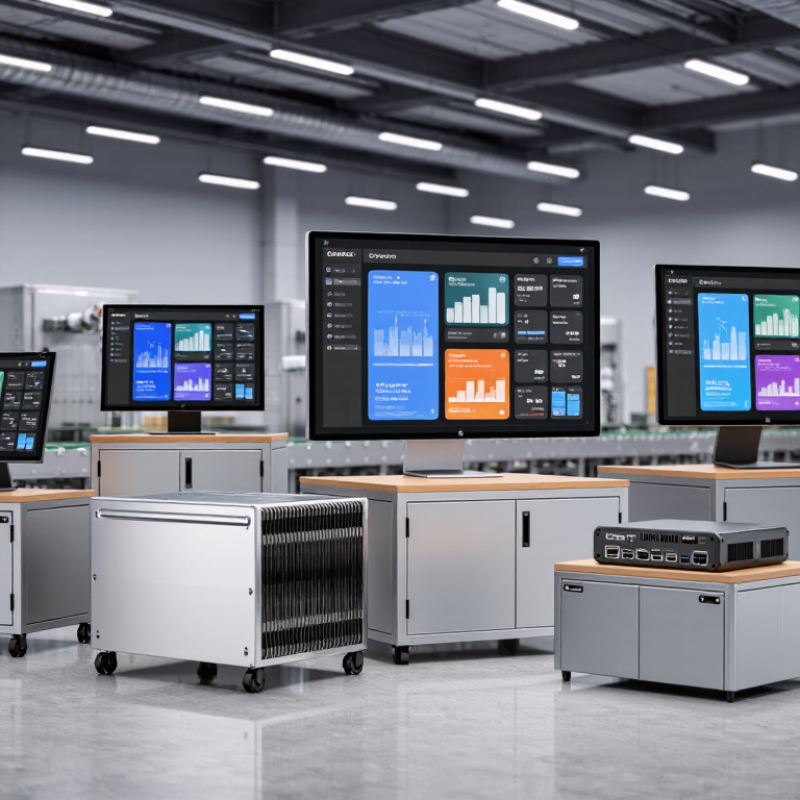
Industrial Panel PCs: Definition, Functions, and Main Applications
Industrial panel PCs are rugged computing units built into a display panel. They combine touchscreen control, processing power, and industrial connectivity in one enclosure. Unlike office computers, they support wider temperature ranges, vibration, dust, and continuous operation.
Their main functions include machine visualization, production monitoring, data collection, alarm management, and operator control. Common interfaces include Ethernet, USB, serial ports, and fieldbus connections. Fanless designs reduce dust intake, while sealed front panels simplify cleaning. A suitable IP rating matters in wet or dusty areas. Grand View Research estimates that the global industrial PC market will continue growing through 2030, driven by factory automation and connected production. IDC also reported that worldwide edge computing spending would exceed 230 billion dollars in 2024, showing why local industrial processing is becoming more valuable.
Applications include packaging lines, CNC equipment, warehouse systems, energy facilities, and transport infrastructure. A panel PC can display live temperature trends beside a machine, helping operators react faster. Yet, more computing power is not always better. Poorly selected software, sunlight glare, or weak mounting can reduce reliability.
Tips: Check screen brightness, operating temperature, enclosure protection, and lifecycle support before purchase. Test gloves and viewing angles on the actual production floor. Leave expansion space for future sensors. This step is often missed.
7 Best Industrial Panel PCs for Global Buyers? - Industrial Panel PCs: Definition, Functions, and Main Applications
| No. | Industrial Panel PC Type | Typical Display Size | Recommended Resolution | Touch Technology | Typical Protection Level | Typical Processing Class | Typical Memory and Storage | Main Functions | Best-Fit Applications | Key Selection Considerations |
|---|---|---|---|---|---|---|---|---|---|---|
| 1 | Compact HMI Panel PC | 7 to 10.1 inches | 1,024 × 600 to 1,280 × 800 pixels | Projected capacitive or resistive touch | Front panel commonly IP65 or higher | Low-power dual-core or quad-core industrial processor | 4 to 8 GB RAM; 64 to 128 GB solid-state storage | Machine status display, alarm handling, recipe entry, basic data collection, and operator control | Small machines, packaging equipment, laboratory instruments, and compact production cells | Choose when cabinet space, low power consumption, and simple operator interaction are priorities. |
| 2 | General-Purpose Operator Panel PC | 10.1 to 12.1 inches | 1,280 × 800 to 1,280 × 1,024 pixels | Projected capacitive touch, with optional glove-compatible design | Front panel commonly IP65; full enclosure rating varies by design | Entry-level or mid-range quad-core industrial processor | 8 GB RAM; 128 to 256 GB solid-state storage | HMI visualization, PLC communication, production monitoring, maintenance instructions, and local control | Assembly lines, material handling systems, test stations, and process equipment | A practical balance between screen visibility, computing capability, installation size, and cost. |
| 3 | Mid-Size Control Panel PC | 12.1 to 15 inches | 1,280 × 1,024 or 1,366 × 768 pixels | Projected capacitive or industrial resistive touch | Front panel commonly IP65 or IP66 | Mid-range quad-core processor with industrial temperature support | 8 to 16 GB RAM; 128 to 512 GB solid-state storage | SCADA visualization, multi-screen dashboards, process control, alarm management, and historical trend review | Water treatment, energy systems, factory automation, and continuous production lines | Select a higher-brightness display and wide viewing angle when operators work at a distance or under uneven lighting. |
| 4 | Large-Format Production Dashboard Panel PC | 15.6 to 21.5 inches | 1,920 × 1,080 pixels | Projected capacitive touch or non-touch display with external controls | Front panel commonly IP65; optional sealed enclosure available | Mid-range or high-performance industrial processor | 8 to 32 GB RAM; 256 GB to 1 TB solid-state storage | Real-time production dashboards, quality data visualization, OEE monitoring, video display, and database access | Control rooms, production supervision, logistics centers, and large machine installations | The larger screen improves readability of charts and multiple data panels but requires more mounting space. |
| 5 | Rugged Outdoor Panel PC | 10.1 to 21.5 inches | 1,280 × 800 to 1,920 × 1,080 pixels | High-brightness projected capacitive touch or sunlight-readable resistive touch | Front panel commonly IP65 or IP66; complete system rating depends on enclosure construction | Industrial low-power or mid-range processor designed for extended operating temperatures | 8 to 16 GB RAM; 128 to 512 GB solid-state storage | Outdoor equipment control, remote monitoring, GPS or camera integration, communications, and field data entry | Oil and gas sites, renewable-energy installations, transportation systems, ports, and outdoor utilities | Verify sunlight readability, operating temperature, condensation protection, surge protection, and mounting requirements. |
| 6 | Hygienic Stainless-Steel Panel PC | 10.4 to 21.5 inches | 1,024 × 768 to 1,920 × 1,080 pixels | Sealed projected capacitive touch or glove-compatible resistive touch | Commonly IP65 to IP69K, depending on the complete system and mounting method | Low-power or mid-range fanless industrial processor | 8 to 16 GB RAM; 128 to 512 GB solid-state storage | Batch control, traceability, recipe management, sanitation-friendly operator interaction, and production data capture | Food and beverage, pharmaceutical, chemical, and other washdown-sensitive production areas | Look for smooth stainless-steel surfaces, sealed connectors, hygienic mounting, and resistance to cleaning chemicals. |
| 7 | High-Performance Edge Computing Panel PC | 15.6 to 24 inches | 1,920 × 1,080 to 2,560 × 1,440 pixels | Projected capacitive touch or touch-free operator interface | Front panel commonly IP65; optional industrial enclosure protection | High-performance multi-core processor, with optional graphics or AI acceleration | 16 to 64 GB RAM; 512 GB to 2 TB solid-state storage | Machine vision support, edge analytics, digital twin visualization, local database processing, predictive maintenance, and protocol conversion | Smart factories, robotic cells, machine vision stations, semiconductor equipment, and advanced process automation | Confirm thermal design, expansion options, GPU or accelerator requirements, cybersecurity features, and long-term software support. |